
 French
  English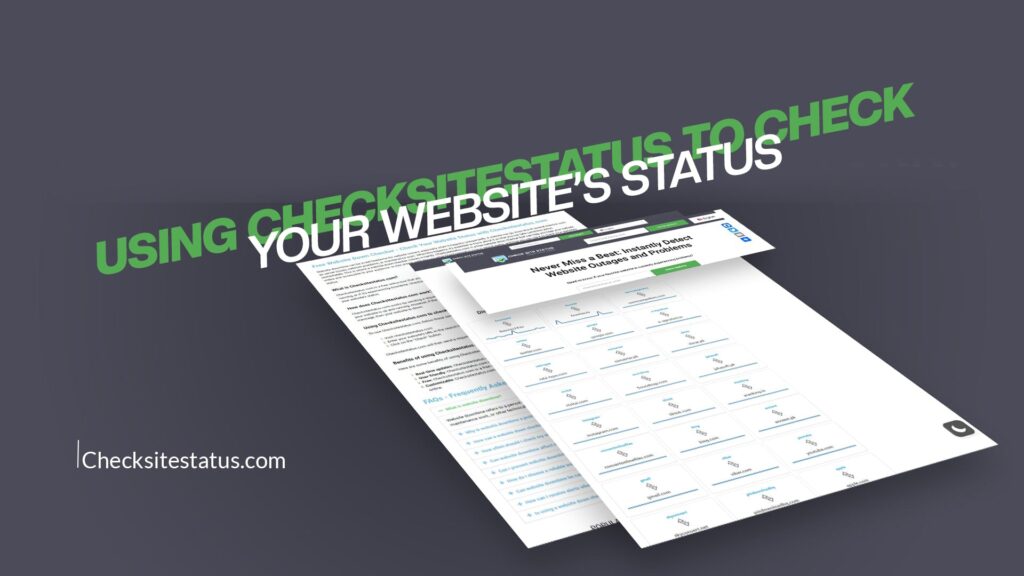
Website downtime can be costly and frustrating. Whether you’re a business owner, a web developer, or simply someone who relies on specific websites daily, knowing the status of your favorite sites is more important than ever. This is where CheckSiteStatus comes in. With this powerful tool, you can instantly detect website outages and problems before they cause major disruptions to your workflow or business operations.
CheckSiteStatus is a simple yet effective solution that allows you to quickly and easily check the status of your favorite websites in real-time. Whether you’re checking for outages, troubleshooting connectivity issues, or simply want to make sure a website is up and running, this tool has got you covered. Let’s explore everything you need to know about using CheckSiteStatus to monitor your website’s health.
What Is CheckSiteStatus?
CheckSiteStatus is a real-time website monitoring tool designed to help users instantly detect website outages and problems. It’s a straightforward, user-friendly platform that doesn’t require technical expertise or complicated setup procedures. The tool works by sending requests to websites and checking whether they respond properly, allowing you to determine if a site is up and running or if there are connectivity issues.
The beauty of CheckSiteStatus lies in its simplicity. You don’t need to be a tech expert to use it. Simply enter the website URL you want to check, and the tool will provide you with instant results showing whether the site is accessible or experiencing problems. This makes it invaluable for anyone who depends on websites for work, entertainment, or business operations.
Why Checking Website Status Matters
Before diving into how to use CheckSiteStatus, let’s understand why checking website status is so important in the first place. There are several reasons why you should care about your website’s status or the status of websites you frequently visit.
First, downtime directly impacts business productivity. If your team relies on specific web applications or platforms to do their work, and those sites go down, productivity comes to a halt. By using a tool like CheckSiteStatus, you can quickly identify whether the problem is with the website itself or your internet connection, saving you valuable troubleshooting time.
Second, website outages can damage your reputation and customer trust. If your customers can’t access your services, they may turn to competitors. For business owners, monitoring website status helps ensure your customers can reach you around the clock.
Third, website problems can lead to lost revenue. Every minute your website is down could mean lost sales or missed opportunities. By having a monitoring tool, you can be notified of issues quickly and address them before they impact your bottom line.
Finally, checking website status helps you identify patterns. If a particular website frequently experiences outages, you might want to find an alternative or reconsider your reliance on that platform.
How to Use CheckSiteStatus
Using CheckSiteStatus is incredibly simple. Here’s a step-by-step guide to get you started.
Step 1: Visit the Platform
Start by visiting CheckSiteStatus to access the tool. The homepage is clean and user-friendly, with a clear input field where you can enter website URLs.
Step 2: Enter Your Website URL
Type the URL of the website you want to check into the input field. You can check any website, whether it’s a social media platform, email service, streaming site, or business website. There’s no limit to how many checks you can perform.
Step 3: Get Instant Results
After entering the URL, the tool will quickly process your request and provide results. You’ll see whether the website is up and running or if there are any issues preventing access. The results display clearly, so you instantly understand the status of the site you’re checking.
Step 4: Check Multiple Sites
One of the great features of CheckSiteStatus is that you can check as many websites as you need. If you want to verify the status of multiple sites, simply repeat the process for each URL. This is particularly useful if you manage several websites or rely on multiple platforms for work.
Key Features of CheckSiteStatus
CheckSiteStatus comes with several features that make it an excellent choice for website monitoring.
Real-Time Monitoring
The tool provides real-time results, meaning you get instant feedback about whether a website is accessible. This is crucial when you need to know right away if a site is down or experiencing problems.
Simple Interface
The interface is designed with simplicity in mind. You don’t need to navigate through complicated menus or understand technical jargon. Everything is straightforward and intuitive, making it accessible to users of all skill levels.
No Sign-Up Required
Many monitoring tools require you to create an account or sign up with an email address. CheckSiteStatus doesn’t. You can start checking websites immediately without any registration process or personal information required.
Fast Results
Speed matters when you’re troubleshooting issues. CheckSiteStatus delivers results quickly, so you’re not left waiting to find out if a website is down.
Comprehensive Status Information
Beyond just telling you if a site is up or down, the tool provides useful information about the status. You can see response times and other details that help you understand the website’s performance.
Who Should Use CheckSiteStatus?
CheckSiteStatus is valuable for a wide range of users.
Business Owners and Managers
If you own a website or manage online operations, CheckSiteStatus helps you monitor your site’s availability and catch issues before they impact your customers. Quick detection means faster resolution.
Web Developers
Developers can use CheckSiteStatus to verify that websites are running properly and to troubleshoot issues when sites go down. It’s a quick diagnostic tool that saves time during problem-solving.
Freelancers and Remote Workers
Remote workers who depend on multiple online platforms can use CheckSiteStatus to quickly identify if a platform they rely on is down or if it’s a local connectivity issue.
IT Professionals
IT teams managing multiple servers and websites can use CheckSiteStatus as part of their monitoring routine to quickly identify outages across their infrastructure.
Everyday Users
Even if you’re just someone who uses the internet casually, CheckSiteStatus is helpful. You can quickly check if a website you want to visit is actually down or if there’s an issue with your connection.
Benefits of Using CheckSiteStatus
There are numerous benefits to incorporating CheckSiteStatus into your routine website monitoring practices.
Save Time
Instead of trying to figure out why you can’t access a website or spending time troubleshooting, you can get an instant answer. This saves you time and frustration.
Reduce Downtime Impact
By quickly identifying website outages, you can take faster action to address issues or find alternatives, reducing the negative impact on your business or productivity.
Make Informed Decisions
If you’re considering using a new service or platform, you can use CheckSiteStatus to monitor its reliability over time before fully committing to it.
Improve Customer Experience
For business owners, ensuring your website is always accessible improves customer experience. CheckSiteStatus helps you maintain that standard.
Cost-Effective Monitoring
Instead of paying for expensive monitoring services, CheckSiteStatus offers a free, simple solution that gets the job done.
Peace of Mind
Knowing that you can quickly check website status whenever needed provides peace of mind. You’re equipped to handle situations where websites aren’t responding as expected.
Common Scenarios Where CheckSiteStatus Helps
Let’s look at some real-world scenarios where using CheckSiteStatus proves invaluable.
Scenario 1: Work Dependency
You’re working on a project and need to access a specific web tool or platform. The site isn’t loading. Instead of assuming it’s your internet connection and spending time troubleshooting, you quickly check it on CheckSiteStatus and discover the site is actually down. You can then notify your team and proceed with a backup plan.
Scenario 2: Customer Service
Your customer calls, saying they can’t access your website. You can immediately check the status using CheckSiteStatus and confirm whether there’s an outage. If the site is down, you can quickly contact your hosting provider. If it’s up, you can help the customer troubleshoot their connection.
Scenario 3: Service Reliability Assessment
You’re thinking about switching to a new email or project management platform. Over a few weeks, you periodically use CheckSiteStatus to monitor it. If you notice frequent outages, you might reconsider. If it’s reliable, you proceed with confidence.
Scenario 4: Travel and Connectivity Issues
You’re traveling and trying to access a website, but are unsure if it’s a local connectivity problem or the site is down. CheckSiteStatus gives you an instant answer, helping you troubleshoot more effectively.
Tips for Effective Website Monitoring
While CheckSiteStatus is powerful, here are some tips to maximize its effectiveness.
Check Regularly
Don’t just check websites when you encounter a problem. Regular checks help you identify patterns and catch recurring issues.
Monitor Critical Sites
If you rely on specific websites for work or business, make a habit of checking them regularly to ensure they’re always accessible when you need them.
Share Information
If you discover a website is down, you can let others know who might also be affected. This community aspect of website monitoring helps everyone stay informed.
Keep Records
If you monitor a website over time, keep notes about outages and issues. This information can be valuable if you need to discuss reliability with service providers.
Act on Findings
If you discover a website that frequently experiences outages, take action. Consider finding alternatives or discussing the issue with the service provider.
To check if a website is down, visit CheckSiteStatus and enter the website URL in the search field. The tool will instantly provide real-time results showing whether the site is up and running or experiencing problems. This eliminates confusion about whether the issue is with the website itself or your internet connection.
Yes, CheckSiteStatus is completely free to use. There’s no need to create an account, pay subscription fees, or provide personal information. You can start checking website status immediately without any hidden costs or sign-up requirements.
Absolutely. CheckSiteStatus allows you to check as many websites as you need. Simply enter each URL one at a time, and the tool will provide instant results for each site. There are no limits on how many checks you can perform.
CheckSiteStatus provides real-time information about whether a website is accessible and up and running. The tool also displays response time details and other performance metrics that help you understand the website’s current status and speed.
If CheckSiteStatus confirms a website is up but you still can’t access it, the issue is likely with your local internet connection, your device’s settings, or your browser cache. Try clearing your browser cache, restarting your router, or using a different device to verify the problem isn’t with the website itself.
Conclusion
CheckSiteStatus is a simple yet powerful tool that helps you never miss a beat when it comes to detecting website outages and problems. Whether you’re a business owner protecting your online presence, a developer troubleshooting issues, or simply someone who wants to ensure your favorite websites are accessible, this tool offers a straightforward solution.
The ability to instantly check website status in real-time, without complicated setup or sign-ups, makes CheckSiteStatus an invaluable addition to your digital toolkit. In a world where website availability is crucial for productivity and business success, having quick access to status information is more important than ever.
Start using CheckSiteStatus today and experience the peace of mind that comes with knowing you can instantly detect and address website issues. Whether you’re checking one site or monitoring dozens, this tool has the simplicity and power you need to stay informed and keep your digital life running smoothly. Don’t let website outages catch you off guard—use CheckSiteStatus to stay ahead of problems and keep your online operations running without interruption.