 French
  English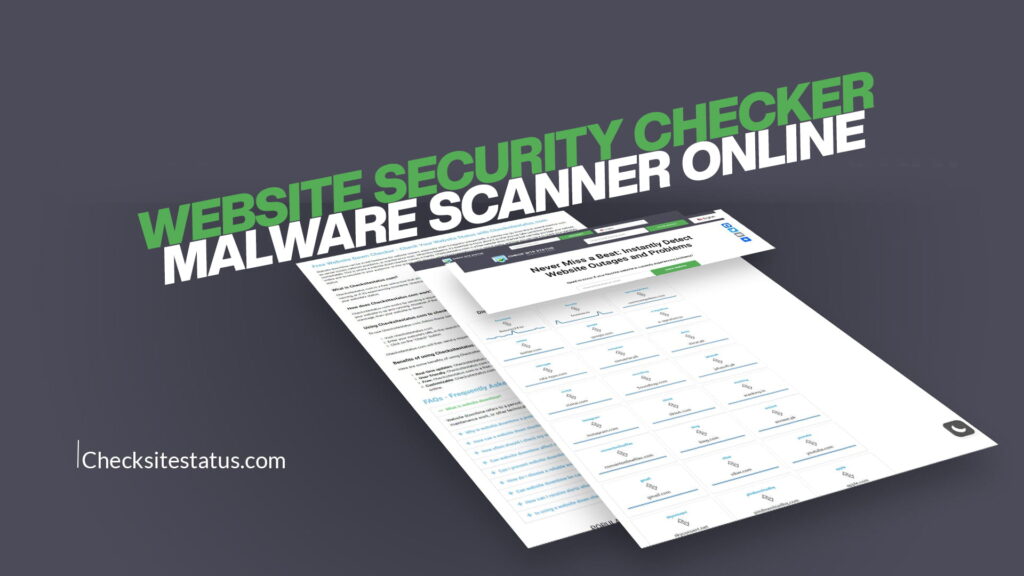
Having a website is like owning a shop on the busiest street in the world. Millions of people browse the internet every single day, and businesses, bloggers, freelancers, and organizations all depend on their websites to stay visible, reach customers, and generate income.
But here is the hard truth — the internet is not always a safe place.
Every day, thousands of websites are hacked, infected with malware, taken down by cyberattacks, or flagged by search engines for suspicious activity. Most website owners don’t even realize their site has been compromised until the damage is already done. Visitors have already been harmed. Rankings have already dropped. Reputation has already suffered.
That’s exactly where a Website Security Checker and Malware Scanner Online becomes essential.
Whether you run a small personal blog, a business website, an e-commerce store, or a large company portal, regularly scanning your website for threats is not just a good habit — it is a necessity.
This is where CheckSitesStatus comes in. Designed with simplicity and speed in mind, CheckSitesStatus gives you the power to instantly detect website outages, security problems, and potential threats — without needing to be a technical expert.
Let’s explore everything you need to know about website security checking, malware scanning, and why CheckSitesStatus is your go-to solution.
What Is a Website Security Checker?
A Website Security Checker is an online tool that scans and analyzes a website to identify potential security vulnerabilities, malware infections, blacklist status, and other threats that could harm your website or its visitors.
Think of it like a health checkup for your website. Just like you go to a doctor to make sure your body is in good shape, a website security checker runs a full scan to make sure your site is clean, safe, and functioning properly.
Here is what a good website security checker typically looks for:
- Malware infections — harmful code hidden inside your website files
- Blacklist status — whether your site has been flagged by Google, Norton, McAfee, or other security authorities
- Phishing threats — pages designed to steal user data
- Suspicious scripts — hidden code that could redirect visitors or steal information
- SSL/TLS certificate issues — whether your site is properly encrypted
- Website availability — whether your site is up or experiencing downtime
- Server errors — issues that prevent your website from loading correctly
- Outdated software vulnerabilities — weak points caused by unpatched plugins or themes
A website security checker combines all of these checks into one easy-to-use interface, giving you a complete picture of your website’s health in just seconds.
What Is a Malware Scanner Online?
Malware stands for “malicious software.” It is any kind of software or code that is designed to cause harm. When it comes to websites, malware can be injected into your site’s files, database, or scripts without you ever knowing about it.
A Malware Scanner Online is a tool that detects this harmful code before it causes damage. It works by analyzing your website’s pages, files, and links for any signs of infection.
Here are some of the most common types of malware that infect websites:
1. Backdoors
Backdoors are hidden access points that hackers use to get into your website even after you’ve changed your password. They are often disguised as normal-looking files, making them extremely difficult to detect without a proper scanner.
2. Ransomware
Ransomware locks you out of your own website and demands payment to restore access. This type of attack is especially dangerous for businesses that rely on their websites for daily operations.
3. Cryptojacking Scripts
These hidden scripts use your website’s resources and your visitors’ devices to mine cryptocurrency without anyone’s knowledge or permission.
4. SEO Spam
Hackers inject hidden links into your website to boost their own spam websites in search rankings. This not only hurts your SEO but can get your site penalized or de-indexed by Google.
5. Drive-by Downloads
These are malicious files that automatically download onto a visitor’s device as soon as they land on your infected page. This is one of the most dangerous forms of website malware.
6. Redirect Hacks
Your website may look perfectly fine to you, but visitors could be getting redirected to gambling, adult, or phishing websites without your knowledge. This is a very common and damaging form of website malware.
7. Phishing Pages
Hackers sometimes create fake login pages on your website to steal your visitors’ passwords and sensitive information.
A reliable malware scanner online will identify all of these threats quickly and clearly, so you can take action before any real damage is done.
Why Your Website Is Always at Risk
You might be thinking: “My website is small. Why would anyone want to hack it?”
This is one of the biggest misconceptions about website security. Hackers don’t always target specific websites. Most of the time, they use automated bots that crawl the internet looking for any vulnerable website, big or small.
Here are the top reasons why websites get compromised:
Outdated Software
If you use a CMS like WordPress, Joomla, or Drupal, your website relies on themes, plugins, and core files that need to be updated regularly. Outdated software is one of the number one entry points for hackers.
Weak Passwords
Using simple or commonly used passwords makes it incredibly easy for attackers to gain access to your admin panel through brute force attacks.
Unsecured Hosting
Not all web hosting providers take security seriously. If your hosting environment is poorly configured, your website can be compromised even if you’ve done everything right on your end.
No SSL Certificate
Websites without an SSL certificate send data between the browser and server in plain text — which makes it easy for cybercriminals to intercept sensitive information.
Third-Party Code
Using unverified plugins, scripts, or third-party integrations can introduce vulnerabilities into your website that you had nothing to do with.
Human Error
Accidentally leaving test files, exposing configuration files, or misconfiguring security settings can open doors for attackers.
The bottom line is: every website is a potential target. That’s why proactive security monitoring is so important.
Introducing CheckSitesStatus: Your All-in-One Website Security and Status Checker
CheckSitesStatus is a powerful yet incredibly easy-to-use online tool that lets you:
- Check whether your website is up or down in real-time
- Scan for malware and security threats
- Monitor outages and performance issues
- Get instant alerts about problems before they affect your visitors
The platform was built with one mission in mind: Never Miss a Beat: Instantly Detect Website Outages and Problems.
Whether you are a website owner, a developer, a digital marketer, or just someone who frequently visits certain websites, CheckSitesStatus gives you all the information you need in seconds — no technical expertise required.
Key Features of CheckSitesStatus
1. Real-Time Website Status Checking
With CheckSitesStatus, you can instantly check whether any website is currently online or offline. There is nothing more frustrating than trying to access a website and not knowing if the problem is on your end or theirs. CheckSitesStatus takes the guesswork out of the equation.
You simply enter the website address, hit check, and within moments, you know exactly what’s happening. Is the site down for everyone, or just for you? CheckSitesStatus gives you a clear, direct answer.
2. Instant Malware Scanning
The built-in malware scanner analyzes websites for signs of infection, suspicious behavior, and malicious code. It checks against multiple threat databases and security engines to give you a comprehensive security report.
This is especially useful if you are about to:
- Visit a website you’ve never been to before
- Purchase on an online store
- Download a file from a website
- Check if your own website is clean
3. Blacklist Status Check
CheckSitesStatus checks whether a website has been blacklisted by major security authorities such as Google Safe Browsing, Norton Safe Web, McAfee SiteAdvisor, and others. If a site is blacklisted, it means it has been flagged as dangerous or deceptive — and you should stay away.
This is an incredibly valuable feature for anyone who wants to stay safe online.
4. Website Performance Monitoring
Slow websites don’t just frustrate visitors — they also rank lower in search engines. CheckSitesStatus helps you monitor how quickly a website loads and flags any performance issues that could be affecting the user experience.
5. SSL Certificate Verification
An SSL certificate is what turns “http” into “https” and ensures that data passed between a user and a website is encrypted. CheckSitesStatus checks whether a website has a valid SSL certificate, when it expires, and whether it’s properly configured.
6. Simple, Clean Interface
You don’t need to be a cybersecurity expert to use CheckSitesStatus. The tool is designed to be clean, simple, and instantly understandable. Just enter a URL and get results. That’s it.
7. Works for Any Website
Whether you want to check your own website, a competitor’s site, a news website you regularly visit, or a new online store you’re thinking about buying from, CheckSitesStatus works for any publicly accessible website.
Who Should Use a Website Security Checker?
The honest answer is: everyone who uses the internet should have access to a website security checker. But here are the groups who benefit the most:
Website Owners and Administrators
If you own a website, you have a responsibility to your visitors to keep it safe and functioning. Regular scans with a security checker help you catch problems before your visitors encounter them.
E-Commerce Business Owners
Online stores handle sensitive customer data, including payment information, addresses, and personal details. A malware infection on an e-commerce website can lead to massive financial and reputational damage. Regular malware scanning is non-negotiable.
Bloggers and Content Creators
Your blog might not seem like a high-value target, but hackers often use small blogs as stepping stones — injecting them with spam links or using them to distribute malware. Staying protected keeps your hard work safe.
Digital Marketers and SEO Professionals
Google blacklists websites that are infected with malware — and once your site is flagged, your search rankings can plummet overnight. SEO professionals need to monitor site security as part of their standard workflow.
IT Professionals and Developers
Security scans are part of every responsible developer’s routine. Before launching a website, during maintenance, and after making significant changes — a quick scan with CheckSitesStatus provides peace of mind.
Everyday Internet Users
Even if you don’t own a website, you should check the websites you visit. Before entering your email, password, or payment details on any website, a quick security check could save you from identity theft or financial fraud.
How to Use CheckSitesStatus: Step-by-Step
Using CheckSitesStatus is straightforward and requires no technical knowledge. Here’s how it works:
Step 1: Visit CheckSitesStatus Open your web browser and go to CheckSitesStatus. The homepage is clean and simple, with an easy-to-use search bar prominently displayed.
Step 2: Enter the Website URL Type or paste the URL of the website you want to check into the search bar. This can be your own website, any website you’re curious about, or a site you want to verify before visiting.
Step 3: Run the Check Click the scan or check button. The tool will immediately begin analyzing the website. This usually takes only a few seconds.
Step 4: Review the Results CheckSitesStatus will display a clear and easy-to-understand report. You’ll see the website’s current status (up or down), any security threats detected, blacklist status, SSL certificate information, and more.
Step 5: Take Action if Needed If the results show any problems — whether it’s malware, a blacklist flag, or an SSL issue — you now have the information you need to take action. For website owners, this might mean contacting your hosting provider, updating your software, or running a deeper cleanup. For visitors, this might mean avoiding the website until it’s been cleared.
It really is that simple. No signups required. No complicated dashboards. Just fast, accurate results when you need them.
The Real Cost of Ignoring Website Security
Many website owners put off security monitoring because they don’t see an immediate threat. But ignoring website security can lead to consequences that are far more costly than any preventative measure.
Loss of Visitor Trust
When visitors land on a website that’s been flagged by their browser as “dangerous” or “deceptive,” they immediately leave and rarely return. Once trust is broken, it’s extremely hard to rebuild.
Drop in Search Engine Rankings
Google actively monitors and penalizes websites that are infected with malware or involved in phishing schemes. A single security incident can knock your website off the first page of search results — and staying there can take months or even years to recover.
Data Breaches and Legal Liability
If your website handles any customer data and gets breached due to malware, you could face significant legal consequences depending on your jurisdiction. Data protection regulations like GDPR in Europe carry heavy fines for organizations that fail to protect user data.
Revenue Loss
For businesses that depend on their websites for sales, a malware infection or extended outage can directly translate to lost revenue. Every hour your website is down or compromised is an hour of potential business gone.
Expensive Cleanup Costs
Cleaning up an infected website after the fact is significantly more expensive and time-consuming than preventing the infection in the first place. Professional malware removal services can cost hundreds or even thousands of dollars.
The message is clear: proactive website security monitoring is a smart investment, not an unnecessary expense.
Website Security Best Practices Every Website Owner Should Follow
Using a website security checker like CheckSitesStatus is a great first step. But it works best when combined with a broader security strategy. Here are the most important website security best practices you should follow:
Keep Everything Updated
Always update your CMS, plugins, themes, and any third-party software to the latest versions. Developers regularly release updates that patch known security vulnerabilities.
Use Strong, Unique Passwords
Use a combination of uppercase letters, lowercase letters, numbers, and symbols for all passwords related to your website. Never reuse passwords across multiple platforms.
Enable Two-Factor Authentication (2FA)
Two-factor authentication adds an extra layer of security to your login process. Even if someone gets your password, they can’t access your account without the second factor.
Install an SSL Certificate
Make sure your website uses HTTPS. Not only does this protect your visitors’ data, but it’s also a ranking factor for Google.
Back Up Your Website Regularly
Regular backups ensure that if something goes wrong, you can restore your website quickly. Store backups in multiple locations, including off-site or in the cloud.
Limit Login Attempts
Setting a limit on how many times someone can attempt to log in to your admin panel prevents brute force attacks.
Use a Web Application Firewall (WAF)
A WAF filters out malicious traffic before it even reaches your website, blocking common attack vectors like SQL injection and cross-site scripting.
Monitor Your Website Regularly
Use tools like CheckSitesStatus to run regular checks on your website’s status and security. Catching a problem early makes it much easier and less costly to fix.
Remove Unused Plugins and Themes
Every plugin and theme you have installed on your website is a potential entry point for hackers. Remove anything you’re not actively using.
Choose a Reputable Hosting Provider
Your hosting provider plays a major role in your website’s security. Choose a provider that offers server-level security features, automatic malware scanning, and a fast response to security incidents.
How Website Outages Affect Your Business and Reputation
Website outages are more common than most people realize. They can be caused by server problems, DDoS attacks, traffic spikes, software conflicts, or even simple human error. And when your website goes down, the ripple effects can be significant.
Lost Sales: Every minute your website is down, potential customers are turning to your competitors. For e-commerce businesses, this translates directly to lost revenue.
Poor User Experience: Visitors who encounter a down website are unlikely to return. Studies show that users form opinions about websites in a fraction of a second, and a down website instantly destroys credibility.
Search Engine Impact: Search engines crawl your website regularly. If they visit during an outage, they may temporarily lower your rankings. Frequent outages can have a lasting negative impact on your SEO.
Customer Support Overload: When your website goes down, customers reach out through email, phone, and social media to find out what’s happening. This puts unnecessary strain on your support team.
Reputation Damage: In today’s social media-driven world, word spreads fast. A website outage — especially a prolonged one — can generate negative buzz that damages your brand image.
This is why real-time website monitoring is so valuable. With CheckSitesStatus, you can instantly find out when a website is down, so you can take action immediately rather than hours later.
A Website Security Checker is an online tool that scans a website to identify threats such as malware, phishing activity, blacklist status, and other security vulnerabilities. It works by analyzing the website’s pages, links, files, and server responses using a combination of threat intelligence databases and automated scanning algorithms.
When you enter a website URL into a tool like CheckSitesStatus, the system immediately begins analyzing that website. It checks whether the site is online and responding correctly, scans for known malware signatures, verifies the SSL certificate, and checks the site’s status against major blacklists. Within seconds, it provides you with a clear report that tells you whether the website is safe, suspicious, or actively dangerous.
Website security checkers are used by website owners to monitor their own properties, by digital marketers to ensure their clients’ sites are clean, by IT professionals to verify site health before deployments, and by everyday users who want to verify the safety of a website before entering personal information.
Yes, using an online malware scanner like CheckSitesStatus is completely safe. Unlike some security tools that require you to install software on your server or grant access to your admin panel, an online malware scanner works entirely from the outside. It analyzes publicly available information about your website — the same information that any visitor or search engine would see.
This means that running a malware scan on your website through CheckSitesStatus does not interfere with your website’s performance, doesn’t require any software installation, and doesn’t need your admin login credentials. It simply observes your website from the perspective of a regular visitor and flags anything that looks suspicious or harmful.
For a deeper, more thorough scan of internal files and databases, you may eventually want to use a server-side scanner as well — but for routine checks, blacklist monitoring, and external threat detection, an online malware scanner is a safe, fast, and highly effective first line of defense.
The frequency of your malware scans should depend on how actively you manage your website and what type of content or transactions it handles. However, as a general rule of thumb:
- E-commerce websites should be scanned at least daily, given the sensitive financial data they handle.
- Business and professional websites should be scanned at least two to three times per week.
- Blogs and personal websites should be scanned at least once a week.
- After any update or change — such as installing a new plugin, updating your theme, or adding new content — an immediate scan is always recommended.
Additionally, you should run an immediate scan if you notice any unusual behavior on your website, such as unexpected redirects, slower-than-normal loading times, strange new links appearing in your content, warnings from Google or your browser, or a sudden drop in search engine traffic.
Using CheckSitesStatus makes it easy to run quick checks whenever you need them. The process takes only seconds, so there’s no reason not to make it part of your regular website management routine.
If CheckSitesStatus or any other security tool flags your website as infected with malware or blacklisted, it’s important to act quickly and calmly. Here is a step-by-step approach:
Step 1 — Don’t Panic, But Act Fast Being flagged is serious, but it’s also a fixable problem. The sooner you act, the less damage will occur.
Step 2 — Take Your Website Offline Temporarily If possible, put your website in maintenance mode to prevent more visitors from being exposed to the threat while you work on cleaning it up.
Step 3 — Contact Your Hosting Provider Your hosting provider may have server-level security tools and can often help identify the source of the infection. Many reputable hosts offer malware cleanup as part of their service.
Step 4 — Run a Deep Internal Scan Use a server-side security plugin or ask your developer to run a comprehensive scan of your website’s files and database to identify and remove all infected files.
Step 5 — Clean Up and Harden Your Website Remove all malicious code, update all software, change all passwords, and implement stronger security measures to prevent re-infection.
Step 6 — Request a Review from Blacklist Authorities Once your site is clean, submit a review request to Google Search Console and any other blacklisting authorities that have flagged your site. Once they verify that the threat has been removed, your site will be delisted from the blacklist.
Step 7 — Monitor Closely Going Forward After a security incident, increase your monitoring frequency and consider investing in more robust ongoing security measures.
Yes, this is one of the most useful features of CheckSitesStatus. When a website isn’t loading for you, it can be difficult to know whether the problem is on your side (your internet connection, browser cache, or local network) or whether the website is genuinely down for everyone around the world.
CheckSitesStatus solves this problem instantly. By checking the website’s status from external servers, the tool can tell you definitively whether a website is down for everyone or just for you. This saves enormous amounts of time and frustration.
If the check shows the website is online and working, the problem is on your end — and you can try solutions like clearing your browser cache, restarting your router, or trying a different browser.
If the check shows the website is down, then it’s a genuine outage that the website owner needs to resolve — and you can stop troubleshooting and simply wait for it to come back online.
This clarity is incredibly valuable for both regular internet users and website owners alike. For website owners especially, knowing the moment your site goes down — rather than finding out hours later from a frustrated customer — can make all the difference in how quickly you respond and recover.
Why CheckSitesStatus Stands Out From the Crowd
There are various tools on the internet that offer website checking services. So what makes CheckSitesStatus the right choice?
Speed: CheckSitesStatus delivers results in seconds. There’s no waiting around, no lengthy processing times, and no confusing loading screens.
Simplicity: The tool is designed for everyone — not just tech experts. The clean, intuitive interface means you can get accurate results without any learning curve.
Accuracy: CheckSitesStatus checks against reliable and up-to-date threat databases, ensuring that the results you receive are accurate and actionable.
Accessibility: You can access CheckSitesStatus from any device with an internet connection — desktop, laptop, tablet, or smartphone. No app downloads or software installations needed.
No Registration Required: You can start scanning websites immediately without creating an account or sharing personal information.
Comprehensive Checks: From malware and blacklist status to SSL verification and uptime monitoring, CheckSitesStatus covers all the bases in one place.
Conclusion: Protect Your Website Before It’s Too Late
The internet is an amazing and powerful place — but it comes with very real risks. Website security threats are not going away. If anything, they are growing more sophisticated and more common every year. Cyberattacks are not reserved for large corporations or high-profile targets. They happen to small blogs, local business websites, and personal portfolios every single day.
The good news is that protecting yourself and your website doesn’t have to be complicated, expensive, or time-consuming. A simple habit of regularly checking your website’s security status can make an enormous difference.
CheckSitesStatus gives you everything you need to stay one step ahead of threats — a fast, free, easy-to-use website security checker and malware scanner online that tells you exactly what’s happening with any website in real-time.
Never miss a beat. Instantly detect outages and problems. Keep your website safe, your visitors protected, and your online presence strong.
Make CheckSitesStatus your first stop whenever you need to check a website’s health, security, or availability. Because when it comes to website security, the best time to act is always right now — before a small problem becomes a massive headache.