
 English
  French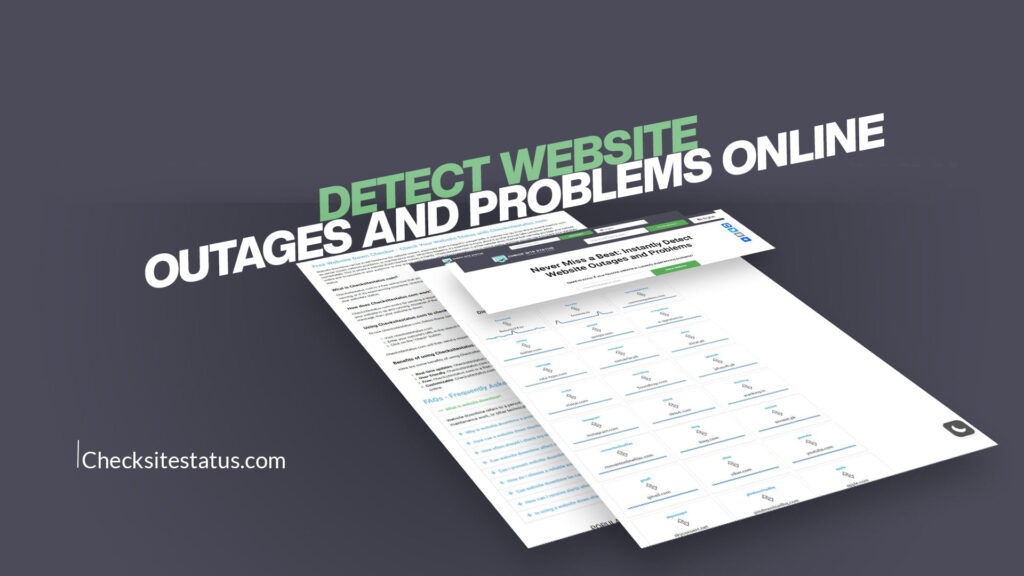
Website outages can happen to anyone, at any time. Whether you’re trying to access your favorite social media platform, check your email, or shop online, discovering that a website isn’t working can be frustrating. The question isn’t if a website will go down, but when. That’s why knowing how to detect website outages and problems online has become essential in our digital world.
Understanding Website Outages and Why They Matter
Before we dive into how to detect website problems, let’s understand what exactly a website outage is. A website outage occurs when a website becomes unavailable to users. This can happen for various reasons, including server failures, maintenance work, cyberattacks, or network issues. During an outage, users cannot access the website, view its content, or use its services.
Website outages can last anywhere from a few minutes to several hours, or even days in severe cases. For businesses, an outage can mean lost revenue, damaged reputation, and frustrated customers. For regular users, it might mean missing important information or being unable to complete necessary tasks. That’s why having reliable tools to detect these problems quickly is so important.
The impact of website outages extends beyond just the website owner. Customers, employees, and partners all suffer when a critical website goes down. If you rely on specific websites for work or daily activities, knowing immediately when they experience problems allows you to find alternatives or plan accordingly.
What Causes Website Outages and Problems
Website problems don’t always happen without warning. Understanding the common causes of outages can help you better anticipate and prepare for potential issues. Here are the main reasons websites go down:
Server Issues: The most common cause of website outages is server problems. Servers might crash, run out of memory, or experience software errors that prevent them from responding to user requests.
Network Problems: Internet connectivity issues can prevent users from reaching a website, even if the website itself is working perfectly. Network congestion, DNS failures, or routing problems can all cause apparent outages.
Maintenance and Updates: Website owners often schedule maintenance windows to update software, apply security patches, or make improvements. During these times, websites are intentionally taken offline.
Cyberattacks: Hackers sometimes target popular websites with denial-of-service attacks, making them unavailable to legitimate users. These attacks can last hours and cause significant disruption.
Database Failures: Many websites rely on databases to store and retrieve information. If a database fails or becomes corrupted, the entire website may stop working.
Traffic Overload: When a website receives more traffic than its servers can handle, it may crash or become extremely slow. This sometimes happens when news breaks or a popular item goes on sale.
Domain and DNS Issues: Problems with domain registration or DNS servers can prevent users from finding the website at all, even though the servers might be running fine.
How to Detect Website Outages in Real-Time
Now that you understand what outages are and why they happen, let’s explore how to detect them. There are several methods available, ranging from simple to more sophisticated approaches.
Check If It’s Just You: When a website won’t load, your first instinct might be correct—the site might be down. However, it could also be your internet connection. Try refreshing the page, clearing your browser cache, or switching to a different browser. If the problem persists across multiple devices and connections, it’s likely an actual outage.
Use Status Monitoring Tools: Modern status monitoring tools are specifically designed to detect website problems instantly. These tools continuously check websites and alert you immediately when problems occur. Services like CheckSiteStatus make this process incredibly easy.
Check Social Media: Large outages often get reported on social media within minutes. Checking Twitter, Reddit, or other platforms can quickly tell you if others are experiencing the same problem. If thousands of people are complaining about a website being down, you can be sure it’s not just you.
Visit Status Pages: Many large websites and services maintain public status pages that show their current operational status. These pages display any known issues, planned maintenance, and historical uptime information.
Monitor Browser Developer Tools: Advanced users can check their browser’s developer tools to see what’s happening when they try to access a website. Error messages can indicate whether it’s a server problem, a connection issue, or something else entirely.
Introducing CheckSiteStatus: Your Website Monitoring Solution
The easiest and most reliable way to detect website outages and problems online is by using a dedicated monitoring tool. CheckSiteStatus has been designed specifically for this purpose, making it simple for anyone to check website status in real-time.
CheckSiteStatus allows you to never miss a beat by instantly detecting website outages and problems. The platform works by continuously checking your favorite websites and alerting you the moment anything goes wrong. You don’t need to be a technical expert to use it—the interface is straightforward and intuitive.
With CheckSiteStatus, you can quickly and easily check the status of your favorite websites at any time. Whether you’re checking for outages or just want to make sure a website is up and running, this simple tool has got you covered. The service provides instant results, showing you whether a website is currently accessible and performing well.
Key Features of a Good Website Outage Detection Tool
Not all website monitoring tools are created equal. Here are the essential features you should look for when choosing a monitoring solution:
Real-Time Monitoring: The tool should check websites continuously, providing instant alerts when problems occur. Delays in detection mean delayed responses to issues.
Multiple Check Locations: A good monitoring tool checks websites from different geographic locations. This helps distinguish between local connection problems and actual server outages.
Detailed Status Information: Beyond just saying “up” or “down,” the tool should provide information about response times, error codes, and specific problems detected.
Easy-to-Use Interface: You shouldn’t need to be a technical expert to use the tool. The interface should be clean, simple, and intuitive.
Historical Data and Reports: Tracking outage history helps identify patterns and potential reliability issues with specific websites.
Alert Notifications: When a problem is detected, you should receive notifications through your preferred channel—email, SMS, or push notifications.
Multiple Website Monitoring: You should be able to monitor as many websites as you need, whether it’s three or three hundred.
CheckSiteStatus delivers all these features in an easy-to-use platform that anyone can operate, regardless of their technical background.
Why Monitoring Website Status Is Important for Different Users
Website status monitoring matters to many different types of users, each for different reasons:
Business Owners and Managers: For companies, website downtime directly impacts revenue and customer satisfaction. Every minute a website is down could mean lost sales or frustrated customers. Monitoring tools help businesses respond quickly to outages before customer complaints start rolling in.
E-commerce Sites: Online retailers absolutely cannot afford website downtime during peak shopping hours. Monitoring helps catch problems before they impact sales.
Remote Workers: Professionals who rely on web-based tools for their work need to know immediately when critical services go down so they can plan their day accordingly.
IT Professionals: Systems administrators and IT teams use website monitoring as part of their overall infrastructure management. They need to know about problems before customers report them.
Casual Internet Users: Even everyday internet users benefit from knowing whether website problems are on their end or the website’s end. This simple knowledge can save hours of troubleshooting.
How Website Outages Affect Different Industries
The impact of website outages varies significantly depending on the industry:
Financial Services: Bank and investment websites going down prevent people from accessing critical financial information. Even brief outages can cause panic and loss of customer trust.
Healthcare: Hospital websites and patient portals going down prevent patients from accessing important medical information and scheduling appointments.
E-commerce and Retail: Online retailers lose money every minute their website is unavailable. Outages during major sales events can cost thousands of dollars per minute.
Media and Entertainment: Streaming services, news websites, and entertainment platforms frustrate millions of users when they go down.
Social Media: When popular social platforms experience outages, it affects billions of people worldwide.
Software and SaaS: Cloud-based applications and services must maintain near-perfect uptime to retain customer trust.
Understanding your specific needs helps determine how much monitoring you need and how quickly you need to be notified of problems.
Best Practices for Managing Website Outages
If you operate a website or depend heavily on web services, here are the best practices for managing outage situations:
Have a Plan: Before an outage happens, develop a clear plan for how you’ll respond. Who will be notified first? What will you communicate to customers?
Monitor Continuously: Don’t wait for customers to report problems. Continuous monitoring ensures you know about issues immediately.
Communicate Transparently: When outages occur, keep users informed. Regular updates on the problem and expected resolution time help manage frustration.
Keep Backup Systems: Having backup servers and systems ready can dramatically reduce downtime when primary systems fail.
Schedule Maintenance Wisely: Plan maintenance during low-traffic hours and announce it well in advance to minimize impact.
Analyze and Learn: After each outage, analyze what happened and implement changes to prevent similar issues in the future.
Document Everything: Keep detailed records of outages, their causes, and resolution times. This information helps identify patterns and problem areas.
The Future of Website Monitoring and Outage Detection
Website monitoring technology continues to evolve. Advanced tools now use artificial intelligence and machine learning to predict potential outages before they happen. These predictive capabilities allow IT teams to address problems proactively rather than reactively.
Automation is also becoming increasingly important. Modern monitoring systems can automatically trigger failover systems, scale up resources, and even notify emergency contacts without human intervention. This means outages can often be resolved without anyone even noticing.
The rise of multi-cloud and hybrid infrastructure means websites are becoming more distributed and complex. This makes real-time monitoring even more critical, as problems in one system might not immediately affect others.
Choosing the Right Website Status Checker for Your Needs
When selecting a tool to detect website outages and problems, consider these factors:
Your Specific Needs: Do you need to monitor one website or many? How quickly do you need to know about problems?
Budget: While free tools exist, premium options often provide better monitoring frequency, more detailed information, and faster notifications.
Integration Capabilities: Can the tool integrate with your existing systems and notification preferences?
Reliability of the Monitoring Service: Does the monitoring tool itself have a good reputation for uptime? You need a reliable monitor!
Customer Support: Good customer support helps when you have questions or encounter issues.
Ease of Use: The best tool is one you’ll actually use regularly. Complex systems often get abandoned.
For most users, a straightforward service that checks website status in real-time and provides instant notifications strikes the perfect balance between features and simplicity.
The easiest way is to try accessing a different website. If other sites load fine, the problem is with that specific website. If multiple sites won’t load, your internet connection is the issue. You can also use CheckSiteStatus to instantly check if a website is actually down without guessing.
Websites go down for many reasons: server failures, software bugs, scheduled maintenance, cyberattacks, network problems, database issues, or unexpected traffic surges. Most outages are temporary and resolved within minutes to hours. Even major companies experience occasional downtime.
Automated monitoring services like CheckSiteStatus are the fastest way. They check websites continuously and send instant alerts the moment problems occur. You can also check social media for major outages or subscribe to a website’s status page for updates.
While some outages are unavoidable, companies can reduce them through redundant servers, regular backups, thorough testing, DDoS protection, and proper infrastructure monitoring. However, no website can guarantee 100% uptime. Even Google and Amazon experience occasional outages.
First, confirm the outage using CheckSiteStatus. Then check the website’s status page or social media for updates. Find an alternative service if you need immediate access. Monitor the site for recovery and document the outage if it affects your business.
Conclusion: Stay Connected with Real-Time Outage Detection
Website outages are inevitable in our digital world. The question isn’t whether websites will go down, but how quickly you’ll know about it when they do. By using tools designed specifically to detect website problems instantly, you ensure you’re always one step ahead of issues that could affect your work or daily life.
CheckSiteStatus enables you to never miss a beat by providing instant detection of website outages and problems. The platform’s simple interface and reliable monitoring mean you can check your favorite websites’ status at any time, from anywhere. Whether you’re a business owner protecting your company’s reputation, an IT professional managing infrastructure, or simply someone who values knowing when website problems occur, having a reliable monitoring solution is essential.
The technology to detect and monitor website status has become more accessible and user-friendly than ever. Take advantage of these tools to stay informed, respond quickly to problems, and ensure that website issues don’t catch you off guard. In a world where websites are increasingly central to how we work and communicate, knowing their status instantly isn’t just convenient—it’s necessary.