
 French
  English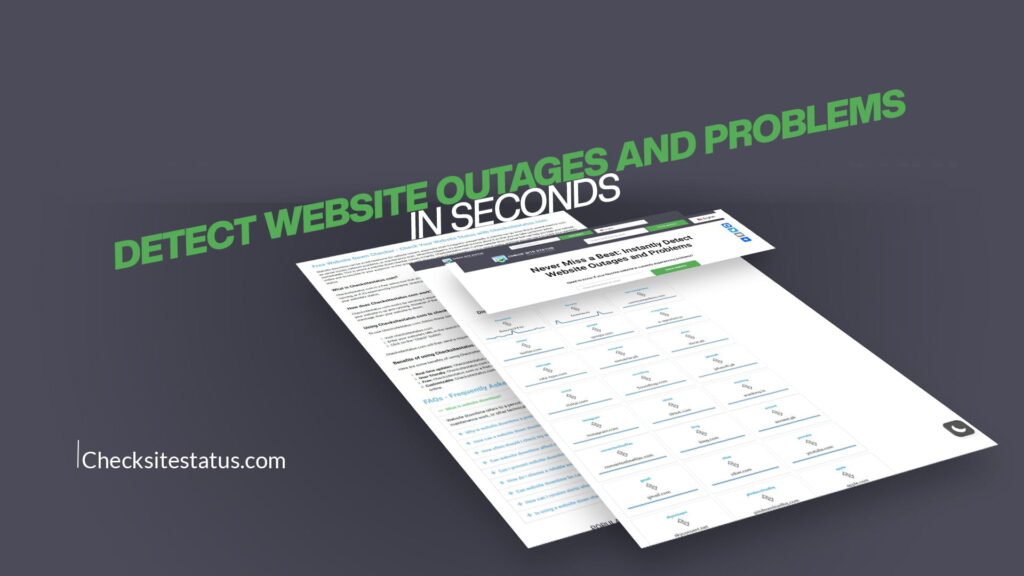
Imagine this: You just launched a new product. Your marketing campaign is live. Traffic is pouring in from all directions. Then, without any warning, your website goes down. Visitors are greeted with an error page. Customers cannot place orders. Your team has no idea what happened or how long it has been down. Every minute that passes is costing you money, trust, and reputation.
This scenario plays out for thousands of businesses, bloggers, developers, and online store owners every single day. Website downtime is not just an inconvenience — it is a serious business problem. According to industry data, even a few minutes of unexpected downtime can cause significant revenue loss, customer frustration, and damage to brand credibility.
The solution? You need a tool that watches your website around the clock and alerts you the moment something goes wrong. You need a way to detect website outages and problems in seconds, not hours.
That is exactly what CheckSitesStatus was built to do.
In this complete guide, we will cover everything you need to know about website outages — what causes them, how they hurt your business, how to detect them instantly, and how CheckSiteStatus makes the whole process fast, simple, and stress-free.
Whether you are a business owner, a developer, an SEO professional, or just someone who relies on websites every day, this guide is written for you. No complicated technical jargon. No confusing processes. Just clear, actionable information.
Let us get started.
What Is a Website Outage?
A website outage is any period of time when a website is unavailable to its users. When visitors try to access a site during an outage, they may see error messages like:
- 503 Service Unavailable — The server is temporarily unable to handle the request.
- 502 Bad Gateway — The server received an invalid response from another server.
- 500 Internal Server Error — Something went wrong on the website’s server.
- 404 Not Found — The specific page or resource cannot be found.
- Connection Timed Out — The browser could not connect to the server within the expected time.
Outages can range from a few seconds to several hours. They can affect an entire website or just specific pages. Some outages are obvious and immediate. Others are more subtle — the site loads but extremely slowly, or certain features stop working.
No matter the type, any form of downtime or degraded performance is a problem that needs to be detected and addressed as quickly as possible.
What Causes Website Outages?
Understanding the root causes of website outages is the first step toward preventing them. Here are the most common reasons websites go down:
1. Server Overload or Crashes
Every web server has a limit to how much traffic it can handle at once. When too many visitors access a website simultaneously — whether from a viral post, a product launch, or a DDoS attack — the server can become overloaded and crash. This is one of the most common causes of sudden, unexpected downtime.
2. Hosting Provider Issues
Your website is hosted on physical or virtual servers managed by a hosting company. If that hosting provider experiences hardware failures, network issues, or power outages in their data center, your website goes down with it — even if your website itself has no errors.
3. DNS Failures
DNS (Domain Name System) is the internet’s address book. When someone types your website URL into a browser, DNS translates that name into the IP address of your server. If your DNS settings are misconfigured, expire, or experience propagation issues, your website becomes unreachable even though the server is perfectly fine.
4. Software Updates and Bugs
Websites run on software — content management systems, plugins, themes, and custom code. When a software update contains a bug or conflicts with another component, it can break the website instantly. This is a very common cause of downtime for WordPress sites and other CMS-based platforms.
5. Expired Domain or SSL Certificate
If your domain name registration expires, your website immediately becomes inaccessible. Similarly, if your SSL certificate (which powers the HTTPS padlock in browsers) expires, most modern browsers will block visitors from accessing your site and show a scary security warning.
6. Cyberattacks
Distributed Denial of Service (DDoS) attacks flood your server with fake traffic to overwhelm it. Hackers can also inject malicious code, deface your website, or take it completely offline. Cybersecurity threats are growing every year, and no website is completely immune.
7. Human Error
Sometimes, websites go down simply because of a mistake. A developer accidentally deletes a critical file. An admin changes a setting without realizing the impact. A database query brings the whole server to a halt. Human error is responsible for a surprisingly large percentage of website outages.
8. Third-Party Service Failures
Modern websites depend on dozens of third-party services — payment gateways, CDN providers, analytics tools, chat widgets, and more. When one of these external services goes down, it can cause your website to load slowly, break specific features, or become completely unresponsive.
Why Detecting Website Outages Quickly Matters
Speed of detection is everything when it comes to website downtime. Here is why:
Lost Revenue
For e-commerce businesses, every minute of downtime means missed sales. If your store handles even $1,000 in sales per hour, a one-hour outage costs you $1,000 in direct lost revenue — not counting returning customers you will never see again.
Damage to SEO Rankings
Search engines like Google regularly crawl websites. If Google crawls your website while it is down, it may interpret this as a sign of poor quality or reliability. Repeated downtime can hurt your search engine rankings, meaning you will receive less organic traffic even after the problem is fixed.
Poor User Experience and Trust
Internet users have zero patience for website errors. Studies consistently show that visitors will abandon a website that takes more than three seconds to load. If your site is completely down, those visitors will go directly to your competitors and may never come back.
Damage to Brand Reputation
In the age of social media, news travels fast. If your website is down during a critical moment — a product launch, a news cycle that mentions you, or a major marketing campaign — the negative experience spreads quickly. Customers share their frustration online, and your brand reputation takes a hit that takes much longer to recover from than the downtime itself.
Missed Customer Inquiries
Not every website is a store. Businesses rely on their websites for contact forms, appointment bookings, client portals, and customer support. When the site is down, these critical communication channels go dark. Potential clients give up and call a competitor instead.
The faster you detect that your website is down, the faster you can fix it. The faster you fix it, the less damage is done. That is why real-time website monitoring is not a luxury — it is a necessity.
The Traditional Problem: Finding Out Too Late
Before dedicated website monitoring tools existed, most website owners found out about downtime in one of these ways:
- A frustrated customer sent an angry email or posted on social media.
- An employee tried to visit the website and found it broken.
- The business owner checked the site themselves and discovered the problem.
By the time any of these things happened, the site had often been down for hours. Hours of lost revenue. Hours of broken customer trust. Hours of damaged SEO progress.
Even today, many small business owners and independent website owners still discover downtime through customer complaints rather than proactive monitoring. This is a completely avoidable situation.
The right website monitoring tool changes everything. Instead of finding out hours later, you find out in seconds. You can take action before most of your visitors even notice a problem.
Introducing CheckSitesStatus: Detect Website Problems in Seconds
CheckSitesStatus is a powerful, user-friendly website monitoring tool designed for everyone — from enterprise businesses to individual website owners. It allows you to quickly and easily check the status of your favorite websites in real-time.
The core promise is simple: Never miss a beat. Instantly detect website outages and problems before they damage your business, your reputation, or your peace of mind.
Here is what makes CheckSiteStatus stand out from the crowd:
Real-Time Status Checking
CheckSiteStatus checks website status in real time. There is no delay, no outdated information, and no guessing. You get a live, accurate picture of whether a website is up and running the moment you check it.
Simple and Intuitive Interface
You do not need to be a developer or a technical expert to use CheckSiteStatus. The tool is designed with simplicity in mind. Anyone can check a website’s status in just a few seconds with no setup required and no learning curve.
Monitor Multiple Websites
Whether you manage one website or fifty, CheckSiteStatus gives you the ability to keep track of all your sites from a single, organized dashboard. Never again will you have to manually visit each site to verify it is working.
Instant Outage Detection
The moment a website goes down or starts experiencing problems, CheckSiteStatus detects the issue immediately. This gives you the opportunity to respond and resolve the problem before your users even notice.
Works for Any Website
CheckSiteStatus works for every type of website — business sites, e-commerce stores, blogs, news portals, SaaS platforms, membership sites, and more. If it is on the internet, CheckSiteStatus can monitor it.
No Technical Setup Required
Many website monitoring tools require DNS changes, code installation, or complex configurations. CheckSiteStatus requires none of that. Simply enter the website URL, and the tool does the rest. It is truly plug-and-play monitoring.
Who Needs a Website Status Checker?
The short answer: anyone who relies on a website for any important purpose. But let us break it down more specifically.
E-Commerce Store Owners
Your store needs to be online 24 hours a day, 7 days a week, 365 days a year. A single hour of downtime during a busy shopping period can result in thousands of dollars in lost sales. With CheckSiteStatus, you will know the moment your store goes offline and can take action before peak shopping hours are ruined.
Digital Marketing Professionals
If you are running paid advertising campaigns — Google Ads, Facebook Ads, Instagram Ads — your ads are driving traffic to a landing page. If that landing page goes down while your ads are still running, you are paying for clicks that lead nowhere. CheckSiteStatus ensures you catch landing page outages immediately so you can pause your campaigns and protect your ad budget.
Web Developers and IT Teams
Developers are responsible for keeping websites running smoothly. With CheckSiteStatus, your team can monitor client websites, get instant alerts when something breaks, and demonstrate to clients that their websites are being actively watched. It adds a professional layer of quality assurance to every project.
Bloggers and Content Creators
Your blog or content website is your platform. Your audience comes to you for information, entertainment, or education. If your site is down when they show up, they leave disappointed and may not return. Monitoring your site ensures you always know when your platform is unavailable.
SaaS Companies
Software-as-a-Service companies have an absolute zero-tolerance requirement for downtime. Your users pay a subscription fee and expect your platform to be available whenever they need it. Rapid outage detection is a core operational requirement, and CheckSiteStatus delivers that capability effortlessly.
Small Business Owners
Your website is often the first impression you make on potential customers. If a prospective client clicks your website link and finds it unavailable, they will simply move on to a competitor. Small business owners may not have dedicated IT staff, which makes an easy-to-use monitoring tool like CheckSiteStatus even more valuable.
Affiliate Marketers
If you promote affiliate products and services through your website, downtime means missed commissions. Worse, if the affiliate links on your site lead to pages that are down, it damages your credibility with your audience. Monitoring keeps your revenue streams healthy.
IT Administrators and System Managers
For organizations that manage web-based internal tools, employee portals, and customer-facing platforms, real-time monitoring is a critical part of operations. CheckSiteStatus provides the visibility needed to maintain high availability standards across all web properties.
How CheckSitesStatus Works: A Step-by-Step Overview
Using CheckSiteStatus is genuinely one of the simplest experiences in website management. Here is how it works:
Step 1: Visit CheckSitesStatus.com Open your browser and navigate to the platform. No account creation is required to start checking websites.
Step 2: Enter the Website URL Type in the URL of the website you want to monitor or check. This can be your own website, a competitor’s site, a third-party service you rely on, or any other website on the internet.
Step 3: Run the Check Click the check button and let CheckSiteStatus do its work. Within seconds, the tool will ping the website from multiple locations to verify its status.
Step 4: Review the Results You will instantly see whether the website is up, down, or experiencing issues. The results are displayed in a clear, easy-to-read format so you can understand exactly what is happening without any technical knowledge.
Step 5: Take Action If the website is down, you now know about it immediately. You can contact your hosting provider, alert your development team, redirect traffic, or take whatever action is appropriate — all before your customers even realize there is a problem.
It truly is that simple. CheckSiteStatus takes what used to be a complicated, time-consuming process and makes it available to everyone in a matter of seconds.
Key Features of CheckSitesStatus in Detail
Let us explore the features of CheckSiteStatus in greater depth so you understand the full value this tool provides.
Real-Time Website Status Monitoring
CheckSiteStatus does not rely on cached data or periodic checks that happen every few hours. The status check is performed in real time, meaning the information you receive is accurate to the current moment. This is critical for businesses where every minute matters.
Global Monitoring Points
One of the most important aspects of accurate website monitoring is checking from multiple geographic locations. A website might be accessible from one country but completely down in another due to CDN failures, regional server problems, or geo-blocking issues. CheckSiteStatus uses monitoring points across different regions to give you a comprehensive, global view of your website’s availability.
Detailed Status Information
Beyond simply telling you if a site is “up” or “down,” CheckSiteStatus provides detailed status information including response times, HTTP status codes, and the nature of any errors detected. This helps developers and technical teams diagnose problems faster.
User-Friendly Dashboard
The clean, organized dashboard makes it easy to see the status of all your monitored websites at a glance. Color-coded indicators, easy-to-read status messages, and logical organization mean you can get the information you need in seconds rather than minutes.
Historical Data and Uptime Reports
Understanding your website’s uptime history is valuable for identifying patterns, demonstrating reliability to stakeholders, and holding hosting providers accountable. CheckSiteStatus maintains records of past checks so you can review your website’s performance over time.
Accessibility from Any Device
CheckSiteStatus works on desktops, laptops, tablets, and smartphones. Whether you are at your office desk or away from your computer, you can check the status of any website from wherever you are.
Website Downtime vs. Website Degradation: Understanding the Difference
When people talk about website outages, they typically imagine a site that is completely inaccessible — a blank screen or an error message. But website problems are not always so black and white. Website degradation is equally important to detect and often harder to catch.
Website Downtime means the site is completely unavailable. No pages load. Users see error messages.
Website Degradation means the site is technically accessible but not functioning correctly. Examples include:
- Pages loading extremely slowly (more than 5-10 seconds)
- Checkout processes that fail mid-transaction
- Search functions that return no results
- Images that fail to load
- Forms that do not submit properly
- Third-party integrations that stop working
Both downtime and degradation hurt your business. In fact, a site that loads slowly but technically stays “up” can sometimes cause more frustration than one that is clearly down, because users cannot easily tell whether the problem is on their end or yours.
CheckSiteStatus monitors for both full outages and performance degradation, ensuring you have a complete picture of your website’s health at all times.
The Real Cost of Not Monitoring Your Website
Let us put real numbers to the cost of not having a website monitoring tool in place. The math will surprise you.
Consider a small e-commerce business that generates $5,000 in revenue per day. That is roughly $200 per hour. If the website goes down at 2:00 PM and is not discovered until 6:00 PM — a realistic timeline if you are relying on customer complaints to find out — that is four hours of downtime. That is $800 in direct lost sales.
But the financial impact does not stop there. You also have to consider:
- Paid advertising waste: If you spend $50 per day on Google Ads, four hours of downtime means you paid for clicks that went nowhere. That is $8.33 in wasted ad spend on top of the lost sales.
- Customer lifetime value loss: Not every customer who bounced will come back. If even 10 customers who experienced downtime never return, and their average lifetime value is $100 each, that is another $1,000 in long-term revenue impact.
- SEO damage: If Google’s crawlers visited during the outage and your rankings drop even slightly, recovery could take weeks of additional content and link-building effort.
All of this from a single four-hour outage that a good monitoring tool would have detected in seconds.
Over the course of a year, the difference between proactive monitoring and reactive discovery could represent thousands of dollars in recovered revenue, protected customer relationships, and preserved search engine rankings.
The investment in a tool like CheckSiteStatus pays for itself many times over — often on the very first outage it catches.
Best Practices for Website Monitoring
Using a website status checker is a great start, but combining it with broader best practices creates a truly robust uptime strategy. Here are the key principles to follow:
Check from Multiple Locations
As mentioned earlier, a website can be up in one region and down in another. Always use a tool like CheckSiteStatus that checks from multiple geographic points to ensure global availability.
Monitor Critical Pages, Not Just the Homepage
Your homepage might be loading perfectly while your checkout page, login page, or product pages are broken. Make sure you monitor not just the front door of your website, but also the most business-critical internal pages.
Keep Your Hosting Provider’s Support Contact Ready
When your site goes down, you need to reach your hosting provider immediately. Have their support number or chat link bookmarked before you ever need it so you are not wasting precious minutes searching for contact information during a crisis.
Maintain a Website Incident Response Plan
Know in advance what steps you will take when your website goes down. Who gets notified? What is the escalation process? Who has the authority to take the site into maintenance mode? Having a written incident response plan ensures your team reacts quickly and confidently instead of scrambling in confusion.
Regularly Test Your Own Website
Do not wait for an alert to check your website. Make it a habit to visit your site regularly from different devices and browsers. What looks fine on your desktop computer might be broken on a mobile device or a different web browser.
Keep Software and Plugins Updated
Outdated software is one of the biggest causes of website security vulnerabilities and compatibility issues. Keep your CMS, plugins, themes, and server software updated regularly. Always test updates on a staging environment before applying them to your live website.
Maintain Regular Backups
No monitoring strategy is complete without a robust backup plan. If your website is hacked, corrupted, or accidentally broken beyond quick repair, a clean backup is the fastest path to restoration. Make sure you have daily automated backups stored in a separate location from your hosting server.
Monitor SSL Certificate Expiry
An expired SSL certificate will prevent visitors from accessing your site and will display terrifying security warnings in their browsers. Set calendar reminders to renew your SSL certificate well before its expiration date, or use a service that renews it automatically.
CheckSitesStatus vs. Doing It Manually: A Side-by-Side Comparison
Some website owners try to manage monitoring manually — they check their site periodically throughout the day or rely on customer feedback. Here is how that compares to using CheckSiteStatus:
| Factor | Manual Checking | CheckSiteStatus |
|---|---|---|
| Detection speed | Hours (based on when you check or a customer complains) | Seconds (real-time) |
| Coverage hours | Limited to working hours | 24/7/365 |
| Geographic coverage | Single location | Multiple global points |
| Cost of missed outages | High (revenue loss, SEO damage) | Minimized (immediate detection) |
| Technical knowledge required | Some | None |
| Time investment | Ongoing daily effort | Automated, hands-off |
| Reliability | Inconsistent | Consistent and dependable |
| Historical data | None | Available for review |
The difference is stark. Manual checking is simply not sufficient for any business that takes its online presence seriously. CheckSiteStatus provides the consistency, speed, and coverage that manual methods can never match.
How Website Outages Affect SEO: What You Need to Know
If you care about your search engine rankings — and every website owner should — you need to understand the relationship between website downtime and SEO performance.
Search engines like Google send automated bots called crawlers to regularly visit websites and index their content. These crawlers visit your site on a regular schedule. If your website is down when a crawler arrives, it will receive an error response instead of your content.
Here is how Google interprets different scenarios:
Short, Occasional Downtime: If your site experiences brief downtime very rarely, Google’s crawlers are likely to return a short time later and find the site back online. This typically has minimal lasting SEO impact.
Frequent or Extended Downtime: If your site goes down repeatedly or stays down for extended periods, Google begins to interpret this as a sign that the website is unreliable. Over time, this can result in lower crawl frequency, lower rankings, and reduced organic traffic.
Server Errors During Crawl: If Google encounters repeated 500 or 503 errors on your website, it may temporarily de-index some of your pages. Recovering lost rankings after de-indexing takes significant time and effort.
The bottom line for SEO is simple: uptime is a ranking factor. Websites that are consistently available perform better in search results than websites that experience frequent downtime. Monitoring your website with CheckSiteStatus protects not just your revenue but also your hard-earned organic search rankings.
Why Real-Time Detection Makes All the Difference
There is a massive difference between finding out about a website problem in ten seconds versus ten hours.
In ten seconds, you can:
- Immediately contact your hosting provider to begin diagnosing the issue
- Pause any active advertising campaigns so you do not waste budget
- Post a quick message on social media acknowledging the issue and setting expectations
- Redirect visitors to a maintenance page with your contact information
In ten hours, during which you had no idea the site was down:
- Hundreds or thousands of visitors have experienced a broken website
- You have paid for hours of advertising that went nowhere
- Customer support inboxes are full of frustrated emails
- Your SEO crawl may have encountered multiple failures
- Competitors have captured customers who might have been yours
This is the core value proposition of CheckSiteStatus — the speed of detection. It transforms website monitoring from a passive, reactive activity into an active, proactive one.
Using CheckSitesStatus for Peace of Mind
One often-overlooked benefit of real-time website monitoring is the psychological value it provides. Running a business online comes with inherent stress. There is always the nagging worry in the back of your mind: Is my website up right now? Is everything working correctly?
With CheckSiteStatus actively monitoring your web presence, that worry largely disappears. You know that if something goes wrong, you will be among the first to know. You can focus on growing your business, creating content, serving customers, and building your brand — without the constant anxiety of not knowing your website’s current status.
This peace of mind has real business value. When you are not distracted by worry, you make better decisions, produce better work, and provide better service to your customers.
Getting Started with CheckSitesStatus Today
Getting started with CheckSiteStatus could not be simpler. There is no lengthy signup process, no credit card required to try it, and no technical setup that requires a developer. You can be up and running in under two minutes.
Here is all it takes:
1. Open your web browser and go to CheckSitesStatus.com. 2. Enter the URL of the website you want to monitor. 3. See the real-time status immediately. 4. Set up ongoing monitoring for continuous coverage.
That is it. From the moment you start using CheckSiteStatus, your website is being watched. You will never again be the last to know when your site goes down.
Conclusion: Never Miss a Beat Again
Website downtime is an inevitable reality of the online world. Servers go down. DNS records fail. Software breaks. Cyberattacks happen. No matter how well-built or well-maintained your website is, at some point it will experience problems.
The only variable you can control is how quickly you find out.
With CheckSitesStatus, you detect website outages and problems in seconds rather than hours. You protect your revenue, your reputation, your SEO rankings, and your customer relationships. You go from being reactive to being proactive. You stop losing money quietly in the background and start catching problems at the very moment they occur.
The internet never sleeps, and neither does CheckSiteStatus.
Whether you manage one website or many, whether you are a solo entrepreneur or part of a large enterprise team, CheckSiteStatus gives you the real-time visibility you need to keep your online presence healthy, available, and performing at its best.
Do not wait for a frustrated customer to tell you your website is broken. Do not discover a four-hour outage after the fact and do the painful math on how much it cost you.
Visit CheckSitesStatus.com today. Check your website status in real time. Start monitoring. Never miss a beat again.
CheckSitesStatus is a free, real-time website monitoring tool that lets you instantly check whether any website is up, down, or experiencing problems — no technical skills needed.
Simply visit CheckSitesStatus.com, enter the website URL, and hit check. You will get an instant answer in seconds showing whether the site is online or offline.
Yes. You can check any website’s live status quickly and easily without creating an account or paying anything.
Absolutely. CheckSiteStatus checks from multiple locations worldwide, so you can see whether a site is down globally or just having issues in a specific region.
Because every minute of downtime costs you visitors, sales, and search rankings. Real-time monitoring means you catch problems in seconds — not hours after a customer complains.